For the people who run medical education
How many tools does it take to run one week of teaching?
It should only take one.
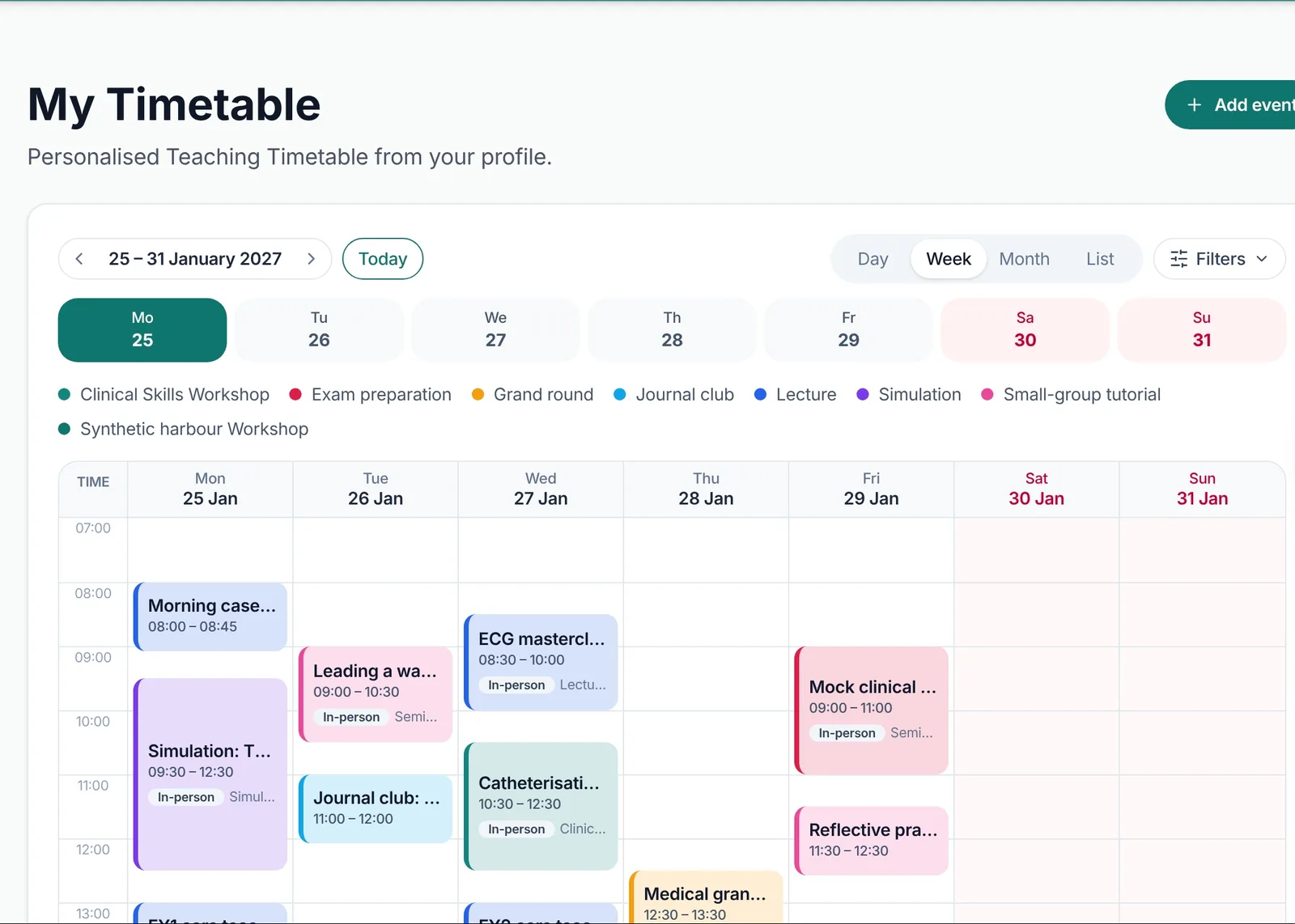
Every session, booking, register, form and certificate, in one calm place.
Explore the live demoThis is how a teaching week really runs.
Six tools in. One Bleepy out.
Event
ALS refresher
38/ 40 booked
2 on the waiting list
36scanned in
✓ Alex M · 08:56
4.8/ 5
★★★★★
34 of 38 replied
Room changeNow in Sim suite 2
✓ Sent to 38 learners and 2 tutors · 07:58
One live timetable. No versions.
 Alex Morganfor attending ALS refresher
on 14 January 2026
⌕ Search mail
DLDr LeeRe: Fwd: Re: Tuesday teaching – room change – Sorry all, we have moved to Seminar 3 again…
RARota adminTeaching rota v14 FINAL (2) – Please use this one, ignore v13 FINAL…
JRJamie ReidCan't make Thursday – can anyone swap? – I am on nights, could someone cover the…
EOEducation officeREMINDER: please sign the register – The paper register is on the front desk…
PKPriya KaurCertificates from last month?? – Hi, I still have not had mine for the…
SOSam OkaforFeedback form link? – Which link is the right one for today…
AMAlex MorganOut of office: Re: Simulation – I am away until Monday with limited…
=VLOOKUP(B4,Rota!A:F,3,FALSE)Today
JamieIs teaching still on today?08:14
PriyaWhich room is it in??08:17
Seminar 3 – see email08:20
SamHas anyone got the link for the online one08:23
AlexRunning 10 mins late, can someone sign me in 🙏08:26
JamieIs there feedback for this one?08:29
Teaching attendance – please sign
Alex Morgan
Priya Kaur
Sam Okafor
Jamie Reid
Chris Taylor
Leah Brooks
Teaching feedback – ALS refresher
Please complete after the session. Required for your certificate.
12 responses (of 40 attendees)
How useful was today’s session? *
Responses by day
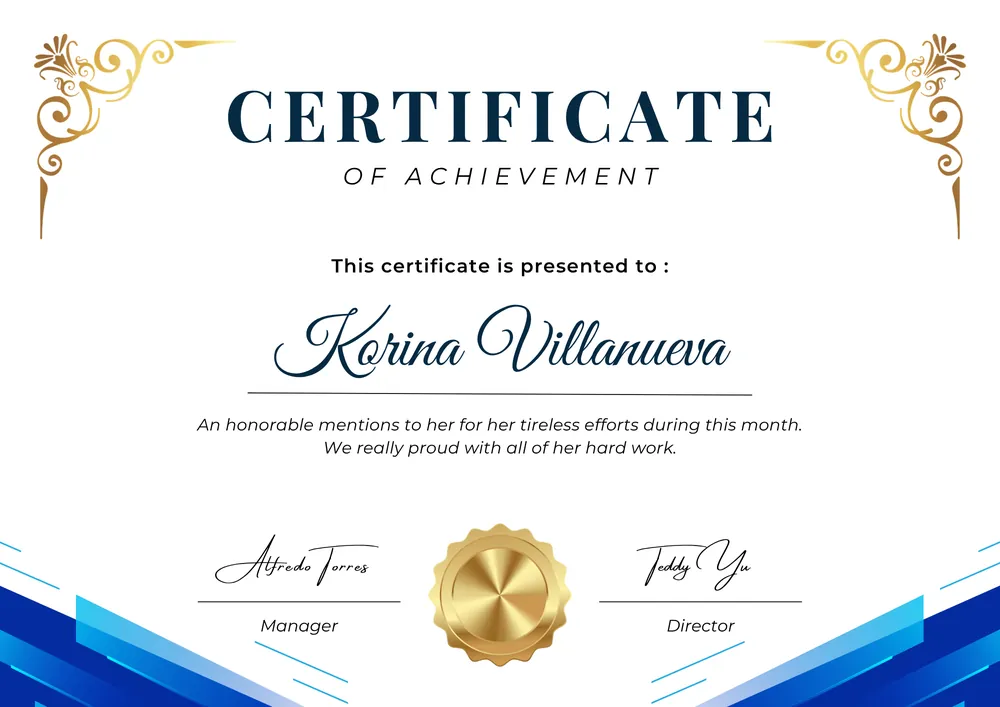
▤ certificate_Alex_Morgan.pdf
▤ certificate_Priya_Kaur (1).pdf
▤ certificate_Priya_Kaur (2).pdf
▤ certificate_[NAME].pdf
Sending 7 of 40…
SCROLL ↓
How it works
One session, start to finish.
Two people, two screens, one session. Everything the organiser does reaches the learner, and everything the learner does comes straight back.
New event
Repeat weekly · 6 sessions
Acute care essentials · Bookings
2223of 24 places taken
AMAlex Morganjust now · Booked
JSJordan Shawyesterday
PKPriya Kaur2 days ago
Waitlist: 3 waiting. The first in line is offered the next free place.
Reminders · Acute care essentials
The day beforeEmail and phone notification
One hour before“Your QR check-in opens at the door.”
✓ Sent to 23 learners automatically
Nobody pressed send.
Scan to check in
Acute care essentials · Sim Suite 2Checked in · 2021 of 23
✓Alex Morgan09:58
✓Priya Kaur09:56
✓Sam Okafor09:55
✓Jamie Reid09:53
Feedback · 1819 of 21 responded
4.8/ 5 average
“The deteriorating patient scenario was the most useful hour of my week.”
Certificates · Acute care essentials
Alex Morganfor attending Acute care essentialson 12 October 2026
Priya Kaurfor attending Acute care essentialson 12 October 2026
Sam Okaforfor attending Acute care essentialson 12 October 2026
 of teachingDr Ellis Grantfor teaching Acute care essentials
on 12 October 2026
✓ 21 learner certificates and 1 tutor certificate issued automatically
Only learners who attended and gave feedback get one.
Harbour Medical Education · this term
Bookings this term1,248+18% on last term
Show rate92%QR check-ins
Average rating4.861% response rate
Net revenue£8,940paid courses
Check-ins by hour. Ready for the next meeting, no spreadsheet.
New session
Acute care essentials
Mon 12 Oct · 10:00 · Sim Suite 2
24 places
Book my placeMon 12 Oct · 10:00
Acute care essentials
Sim Suite 2 · 1 place left
Book my place✓ You’re booked for Monday at 10:00
9:00
Sunday 11 October
✓ Checked in · 09:58
Feedback · 1 of 3
How useful was today?
★★★★★
Send feedback✓ Thank you. Your certificate is on its way.
Your certificate is ready
Alex Morganfor attending Acute care essentialson 12 October 2026
Your learning this term
14hours of teaching
9certificates
Acute care essentials ✓
ECG masterclass ✓
ALS refresher ✓
Beyond the session
Everything around the teaching week.
4141 things education teams usually juggle across other tools, built into the same place as the sessions themselves.
Prove the value of your teaching, run the whole programme, and stay in control.
Teaching report
Sessions, teaching hours, learners reached and ratings for the year, by month, category, speaker and grade. Ready for the annual report in one click.
For organisation leads and education teams
The questions you get asked.
Someone always wants proof: of the teaching, the turnout, the quality and the money. In Bleepy, the answer is already there.
- 01
“How much teaching did we deliver this year?”
The teaching report counts every session delivered and every teaching hour, by month and by session.
Teaching report - 02
“Are people actually turning up?”
Fill rate and no-shows for every session, straight from the QR check-in register.
Attendance - 03
“Was it any good?”
Ratings and comments from everyone who attended, collected without chasing anyone.
Feedback - 04
“Can you prove this doctor attended?”
Every certificate sits in one register, and each carries a code anyone can check on your own site.
Certificate register - 05
“Who changed this booking?”
Admin changes to bookings, certificates, people and settings are recorded, and the record cannot be edited.
Audit trail - 06
“What did the courses bring in?”
Income, refunds and fees for paid courses, by event, with invoice and cost-code requests tracked through to paid.
Finance - 07
“Who can see what?”
Each person’s role decides what they see. Limit an organiser to some categories, give someone read-only reports, and require two-step sign-in for leads and admins.
Roles and access - 08
“Can I have that in a spreadsheet?”
Every answer goes to Excel in one click, ready for the annual report or the next meeting.
Excel exports
Recorded in the product
Not a mock-up. This is Bleepy.
Real recordings from our demo organisation, Harbour Medical Education. Pick a chapter, or open Harbour yourself.
Don’t take our word for it.
Scan the code to open Harbour on your phone, or open it here. It’s a demo organisation, so look around as much as you like.
Getting started
Up and running, step by step.
A set-up checklist in Bleepy walks you through each step. Your timetable and your people come in from the Excel files you already have.
- 1
Your site
We set up your address. Add your logo and colours, and your organisation’s own Bleepy site is ready to share.
northbay.bleepy.co.uk - 2
Your timetable
Upload the Excel timetable you already use. Smart bulk upload reads it, you check every session, then create them all at once.
Term 2 teaching.xlsx - 3
Your people
Invite up to 300 people at a time from Excel, and see every row before anything is sent. Put learners in cohorts and give faculty their roles.
FY1 · FY2 · IMT - 4
Your first session
Bookings, reminders, QR check-in, feedback and certificates run from here on.
Live
Questions
Good questions.
What education teams ask us before they start.
Something we haven’t answered?
Book a demo and ask us directly. Or explore Harbour Medical Education, our demo organisation, any time.
How much does it cost?
Pricing is on request. Book a demo, tell us about your organisation, and we’ll send you a quote.
Can we move over from our spreadsheets?
Yes. Upload your Excel timetable and Smart bulk upload reads it. You check and edit every session it finds, and nothing is created until you confirm. You can invite people from Excel too, up to 300 at a time.
Do learners need to download an app?
No. Bleepy works in the browser on any phone, tablet or computer. Learners who allow notifications also get push notifications on their phone.
Who can see and change what?
Everyone has a role in your organisation: learner, educator, coordinator, education team, admin or organisation lead. Each role sees what it needs, and nobody outside your organisation sees your teaching.
Can our staff sign in with their Microsoft account?
Yes. People with an account in your organisation can sign in with their Microsoft work account. Admins and organisation leads also use two-step sign-in.
Can it look like our own organisation?
Yes. You get your own web address, logo, colours, homepage wallpaper and headline, plus your own email signature and certificate template.
Is our organisation kept separate from others?
Yes. Each organisation has its own site at its own address, its own accounts and its own settings. Learners only see their own organisation’s teaching.
Can we get our data out?
Yes. Attendance, feedback, event data, finance and more export to Excel whenever you need them.
Can we charge for courses?
Yes. Learners pay by card when they book, straight into your organisation’s own Stripe account. You can also let them pay by invoice or cost code. Income is tracked for every event.
One week of teaching. One place to run it.
Book a demo and we’ll walk you through Bleepy with your own programme in mind.
We set up your address with you. Pricing on request. Or explore Harbour, our demo organisation ↗